.avif)

A pitch deck is a short presentation, usually 10 to 15 slides, that explains your business idea and convinces investors, partners, or stakeholders to want the next conversation. A great pitch deck tells a focused story that makes your opportunity easy to understand and hard to ignore.
Investors also judge the packaging. A deck with mismatched fonts, crowded slides, and uneven spacing reads as homemade before anyone evaluates the idea. This guide covers how to make a pitch deck in three stages. Pick a template and write the outline, fill in the 10 slides investors expect, then build and share the deck so it looks professional without a designer on your team.
Start with a template and an outline
Two decisions come before the first slide. Where you will build the deck, and what it will say.
Pick the tool and a template first. Investors will read the deck in whatever format you send, so the tool mostly decides how much formatting work lands on you. Starting from a pitch deck template gives you the slide order below already laid out. The work becomes filling it in.
Then write the outline before you touch the design. One line per slide, stating the point that slide has to make, is enough.
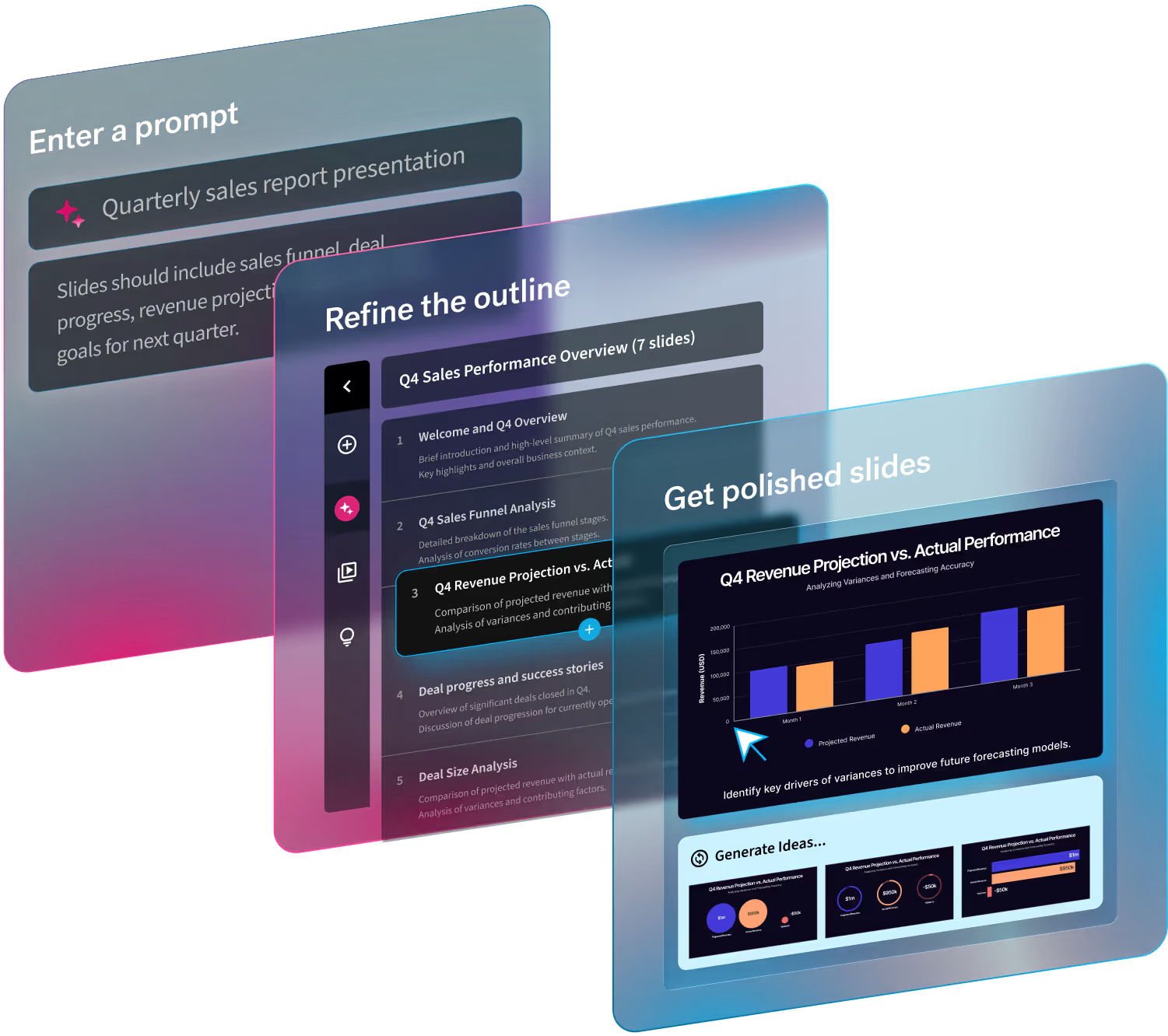
Working this way keeps you from polishing a slide that later gets cut. It also gives you something concrete to test on a co-founder or advisor while it still looks rough. If you use Create with AI, you can paste that outline in as the starting point and refine each slide’s point before any slides are generated.
1. Start with the problem
Open with the real-world problem you’re solving. Be specific and relatable.
Tips:
- Describe the problem in one clear sentence
- Show who experiences it and why it matters
- Avoid vague claims like “the market is broken”
If people don’t care about the problem, they won’t care about the solution.
2. Present your solution
Now show how you solve that problem, clearly and simply.
Include:
- What your product or service is
- How it works at a high level
- Why it’s better than existing alternatives
Think clarity over cleverness. If it takes more than a few seconds to understand, simplify.
3. Define the market opportunity
Investors want to know: How big can this get?
Explain:
- Who your customers are
- The size of the market (TAM, SAM, SOM if relevant)
- Why now is the right time for this solution
Use realistic numbers and credible sources.
4. Explain your product
Show what you’ve built, or what you’re building.
This can include:
- Screenshots or product visuals
- A short walkthrough of key features
- The core value users get from using it
Don’t overload this section. One strong visual often beats five crowded slides.
5. Show traction or validation
Proof builds trust.
Examples of traction:
- Revenue or user growth
- Pilot customers or partnerships
- Engagement metrics or waitlists
If you’re pre-launch, highlight signals of demand like customer interviews or early commitments.
6. Outline your business model
Explain how you make (or will make) money.
Cover:
- Pricing strategy
- Who pays and how often
- Key revenue streams
Keep it straightforward, complex monetization can come later.
7. Address the competition
Show that you understand the landscape.
Include:
- Key competitors or alternatives
- How customers solve this problem today
- What makes you different or defensible
A simple comparison chart works well here.
8. Introduce the team
Investors invest in people, not just ideas.
Highlight:
- Founders and key roles
- Relevant experience or wins
- Why your team is uniquely suited to solve this problem
Keep bios short and relevant.
9. Share the ask
Be clear about what you want.
State:
- How much you’re raising
- What the funding will be used for
- Key milestones this round will unlock
Clarity here signals confidence and preparation.
10. End with the vision
Close with where this is all going.
Paint a picture of:
- The future you’re building
- The impact your company could have
- Why this could be big
Leave them excited about what’s next.
Final tips for making a great pitch deck
- Keep it concise: 10–15 slides is ideal
- Stick to one main idea per slide
- Use visuals to support the story, not distract from it
- Write for someone who knows nothing about your business
If you don’t know where to start, begin from one of our pre-built, customizable pitch deck templates. Each one carries a proven structure, and because it runs on Smart Slides, the design stays professional as you swap in your own story, numbers, and product shots.
A strong pitch deck doesn’t overwhelm, it guides. First and foremost you should focus on telling a clear story, and your deck will do what it’s meant to do: open doors.
How do I make my pitch deck look professional if I'm not a designer?
Four design rules separate professional decks from homemade ones: keep one idea per slide, use the same one or two fonts and a small color palette throughout, align every element to a consistent grid, and leave white space around your content. Investors see hundreds of decks, and these are the signals they read in the first few seconds.
Your tool determines how hard those rules are to follow. PowerPoint and Google Slides start you from a blank canvas or a template you maintain by hand, so alignment and spacing slip as slides multiply. Canva offers strong pitch deck templates, though every edit is still freeform. Beautiful.ai enforces the rules for you. Smart Slides keep layouts aligned and evenly spaced as you add content, and our pitch deck templates, including recreations of famous decks from Uber and Airbnb, give you a proven structure to start from.
Build, check, and share the deck
With the story written and the design rules set, three steps get the deck out the door.
- Build it in the template. Drop each slide’s point into the matching layout and swap in your own numbers, screenshots, and logos. Set your fonts, colors, and logo once in a Theme so every slide picks them up. Fixing them slide by slide at the end takes longer.
- Check it with someone outside the company. Send the draft to an advisor or a founder who has raised before and ask two questions. Which slide did they stop on, and what did they still not understand at the end? Then present it aloud, timed, before the first real meeting.
- Export a version investors can open anywhere. Investors often read the deck before they hear it, so send a PDF export that keeps the formatting fixed on any device, and keep the editable deck for the live presentation. Beautiful.ai exports to PDF and to an editable PowerPoint file, so you can deliver whichever format the investor asks for.



.gif)
.avif)